
How to Test a Backup Restore in 15 Minutes (Before You Need It)
A green tick only means a copy was made. Here's a 15-minute restore test you can hand to your developer today, what to check, and how often to run it.

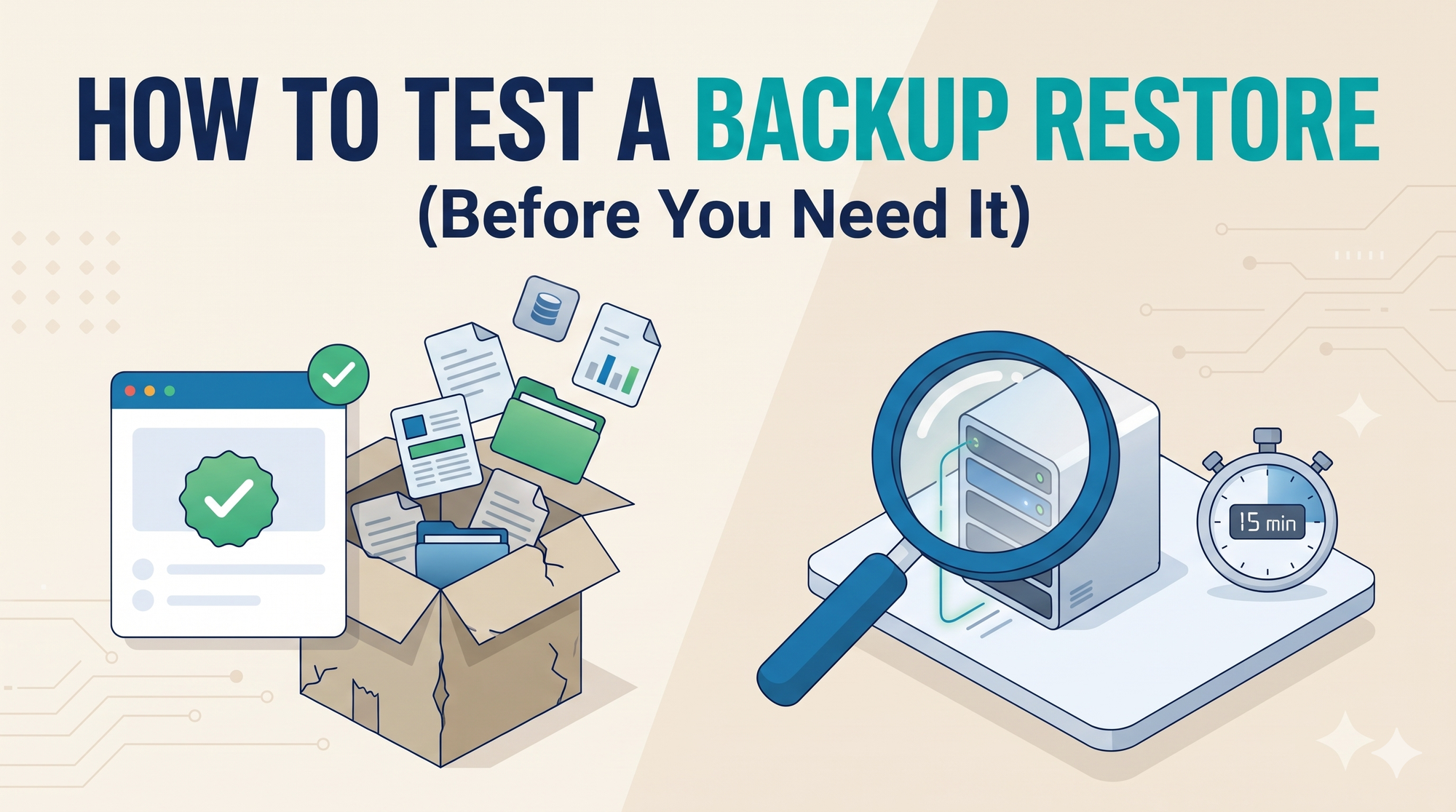
Every backup tool shows a green tick. I've learned not to trust it.
A green tick means a copy was made. It doesn't tell you whether the copy is complete, whether it opens, or how long it'd take to get your product back. Most founders find that out on the day they need it, which is the worst possible day to learn anything.
Here's the version I hand to developers: the 15-minute test, what to check, how often, and the mistakes that make restores fail.
Why does a backup need testing at all?
Because backups fail quietly. The job runs, the dashboard stays green, and nobody notices the copy stopped including uploaded files, or broke after a password change, or sits on the same server it's meant to protect.
The usual ways it goes wrong:
- It stopped running. A changed password or a full disk broke the job, and no alert went anywhere.
- It's incomplete. The database got backed up, but customer uploads, images and documents didn't.
- It's in the wrong place. The copy sits on the same server or account that failed.
- It won't open. The encryption key or database password is gone, or the file is corrupt.
- It's too old. A retention rule deleted last month's copies, and the newest one predates the problem.
Sometimes the data was never being kept in the first place. We built an AI phone receptionist for a US real estate brokerage, and the demo worked on day one. Production found the gap: the voice provider's recording links expired after a while, so the brokerage was quietly losing call history it needed. Nobody had a backup problem on paper. The data just wasn't where everyone assumed. We moved the recordings to permanent storage and served them through short-lived signed links, so nothing gets lost and the files stay private.
The wider numbers aren't comforting either. In Veeam's 2025 ransomware report, only 10% of attacked organisations got back more than 90% of their data, and 57% recovered less than half. Fewer than half of the response plans even included checking backups (Veeam 2025 Ransomware Trends report).
If nobody has restored your backup recently, you don't actually know whether you have one.
What does a restore test prove?
Two numbers every founder should know: how much data you'd lose, and how long you'd be down. Engineers call them recovery point and recovery time. I just call them "how far back?" and "how long?".
| What you check | What good looks like | Red flag |
|---|---|---|
| The backup is recent | Newest copy is from the last 24 hours | Newest copy is days or weeks old |
| It restores | Restores to a test copy without errors | Errors, missing passwords or a corrupt file |
| The data is complete | Newest records and row counts match | Recent orders or sign-ups are missing |
| Files are included | Uploads, images and documents are there | Database only, files missing |
| It's fast enough | You'd be back within an hour or two | Nobody knows how long it would take |
Write both numbers down after every test. "We'd lose up to a day and be back in 40 minutes" is something you can plan around. "We think we have backups" isn't.
How do you test a backup restore in 15 minutes?
Restore the newest backup to a separate test copy, check it, delete it. No special tools: your cloud provider or database service can already do this. Rough timings for a typical startup app:
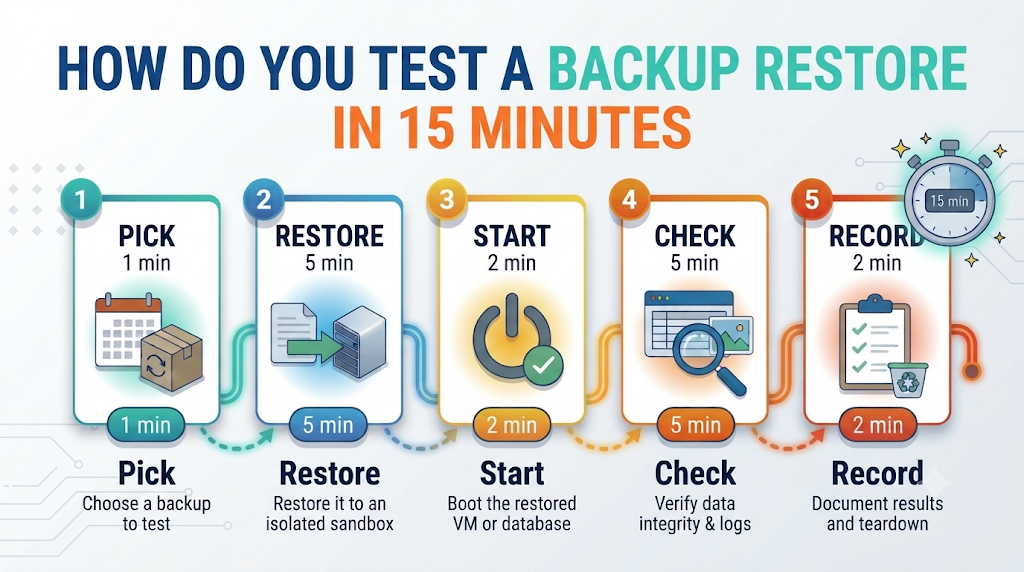
- Pick the newest backup (1 minute). Note its date, time and size. If it's older than a day, you've found your first problem already.
- Restore it somewhere safe (5 minutes). A new test server, a new database or a separate folder. Never over your live product.
- Check it starts (2 minutes). The database opens, or the app loads on the test server and you can log in. That tells you the passwords and keys still work.
- Check the data (5 minutes). Find the newest order or sign-up, compare row counts on two or three key tables, open a few uploaded files.
- Write it down and clean up (2 minutes). Date, how far back the data went, how long it took. Then delete the test copy so you're not paying for it.
Step two is the one people skip, and it's the one I care about most. A small web agency once came to us because their hosting company was closing down, with about 37 client sites to move. We backed up every site first, rebuilt each one on the new servers, and tested it on its new address before anything was switched over. Only then did clients get a date to change their DNS. Nothing about it was clever. It was a checklist, followed in order, with a backup at every step and every restore tested somewhere other than live.
This is a job for your developer or technical partner, not you. Your part is asking for it every month and reading the one-line result.
What should you check after the restore?
That the copy is complete, not just that it exists. A database that opens but is missing last week's orders is a failed test. Four checks catch nearly everything:
- Newest record: the latest order, sign-up or message matches when the backup was taken.
- Row counts: customers, orders, invoices, roughly the numbers you'd expect.
- Known records: open two or three customers you know well and check their details.
- Files: uploaded images and documents actually open, not just their names in the database.
If you use snapshots too, test those, and remember they aren't a backup on their own (snapshot vs backup explains why). If your database is self-hosted, the restore is entirely yours to own; our post on managed vs self-hosted databases covers what changes.
Not sure your backups would actually bring you back? A senior engineer will run a restore test with you and send you the results in writing.
Get a free backup check →Free · Any cloud · No commitment
How often should you test your backups?
Monthly for most live products, and after every big change. It depends on how fast your data changes and what a lost day would cost.
| Your stage | How often to test | Also test after |
|---|---|---|
| Pre-launch, test data only | Once a quarter | Your first real customer signs up |
| Live, paying customers | Every month | Database upgrades, server moves, new backup tools |
| Large or regulated data | Every week, plus a full yearly drill | Any change to the backup setup |
Put it in the calendar like a bill. A test that happens "when we have time" doesn't happen.
The restore mistakes I see most
Almost none of them are technical. They're habits.
- Testing once at launch and never again, even after the setup changed.
- Restoring over production to "save time" and wiping out the newest data in the process.
- Keeping backups next to the server they protect, so one failure takes out both.
- Keeping the keys in one person's head. When they're on holiday, nobody can open anything.
- Nobody owning it. Backups are everyone's job, which means they're nobody's.
The fix for all five is the same: a short written checklist and one named owner. That's the ownership gap I wrote about in who runs your app after launch, and backups are one of the six jobs in our plain-English guide to DevOps.
Can you restore your product? Five quick questions
- Has someone restored a backup in the last 30 days and checked the data?
- Are backups stored away from the server they protect?
- Do they include uploaded files, not just the database?
- Do you know how long a full restore would take?
- Is there one named person who owns the test?
Each "no" is a risk you're carrying right now. None takes long to fix once someone owns it.
Answered "no" to any of these? A senior engineer will run a restore test with you.
Book my free production review →30 minutes · Free · The written review is yours to keep
Frequently asked questions
1. How do I know if my backups actually work?
Restore one. A green tick means a copy was made, not that it can be used. Put a recent backup on a separate test server or database, open it, and check your newest records and files are there.
2. How often should I test my backups?
Monthly for any product with paying customers, and after every big change: a database upgrade, a new server, a move to another cloud. Pre-launch, once a quarter is fine.
3. How long does a backup restore test take?
About 15 minutes for the quick version on a typical startup app. A full test of a large database can take an hour or more.
4. Can I test a backup without affecting my live site?
Yes, and you always should. Restore to a separate server, database or folder, never over production. The live site keeps running while you check the copy.
5. What's the difference between a backup and a restore test?
The backup is the copy. The restore test is the proof the copy works. Backups without restore tests are a hope, not a plan.
6. What should I check after restoring a backup?
That it starts, that the newest record matches the backup time, that row counts for two or three key tables look right, and that uploaded files open.
7. Is a snapshot enough, or do I need a backup?
A snapshot lives with the server, so it can disappear with it. A backup is a separate copy stored somewhere else. Most live products need both, and both should be tested.
8. What is the 3-2-1 backup rule?
Three copies of your data, on two types of storage, with one somewhere else entirely, like another provider or region. Newer versions add one copy that can't be changed or deleted.
9. Who should be responsible for backup restore tests?
One named person, in writing. Usually the lead developer, a DevOps engineer or your technical partner. If nobody owns it, it quietly stops happening.
10. Why do backup restores fail?
Usually because the job stopped weeks ago, the copy left out uploaded files, it sat on the server that failed, nobody has the password or key, or a retention rule deleted the copy you needed.
11. Do I need special tools to test a backup restore?
No. Most cloud providers and database services can restore to a new server or database from their dashboard. What you need is a short checklist and someone who runs it on a schedule.
12. What should I do if my restore test fails?
Treat it like an outage, not a to-do. Find out why, fix the job, take a fresh backup and test again the same day. Until a test passes, assume you don't have a working backup.
Conclusion
Backups only matter on the worst day your product has, and the green tick can't tell you whether that day is a short interruption or a lost business. A 15-minute restore test can.
Ask your developer or technical partner to run it this week. Write down the two numbers. Book the next one. Give it an owner.
Want one team to own your backups, servers and fixes?
Talk to an engineer →One contact for every layer, on your cloud or ours.