
Snapshot vs Backup: Which One Do You Need?

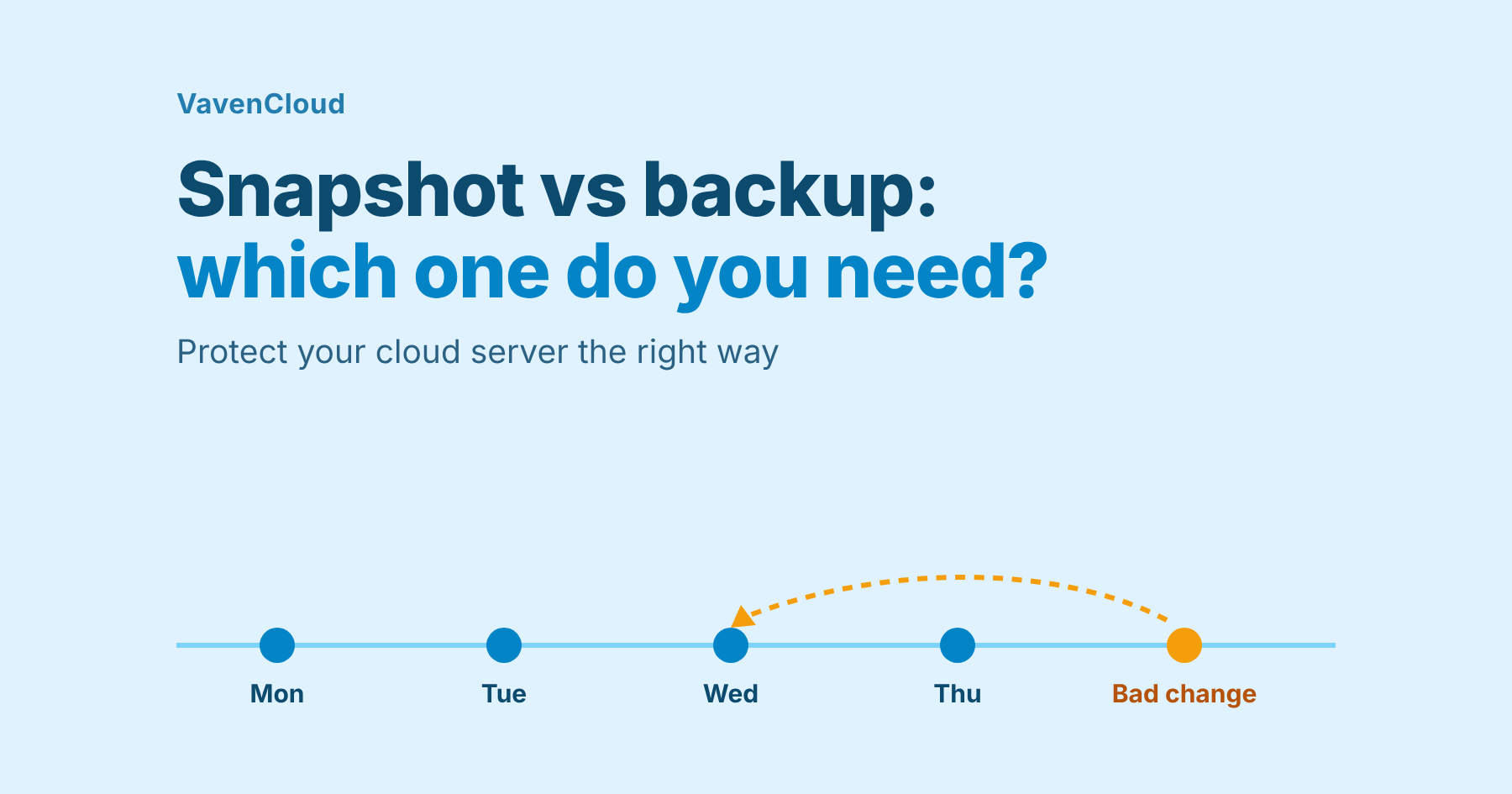
Short answer: a snapshot is a quick restore point stored on the server itself, best for undoing a bad change in minutes. A backup is a full copy stored somewhere else, best for disasters, deleted servers and nightly protection. Use a snapshot before you change something, and scheduled backups for everything that matters.
People mix these two up, and the mix-up is expensive: a snapshot will not save you if the server is deleted. This guide explains the difference, when to use each, and how both work on VavenCloud.
What is a snapshot?
A snapshot is a point-in-time marker. It records the state of your server so you can go back to exactly that moment. It lives on the same storage as the server, which is why it is fast, and also why it has a weakness: if the server is deleted, its snapshots go with it.
What is a backup?
A backup is a full copy of your server (or database), stored separately from the server's own disk. On VavenCloud, backups are stored on Proxmox Backup Server. A backup survives the server being deleted, so you can recover from mistakes that a snapshot cannot undo.
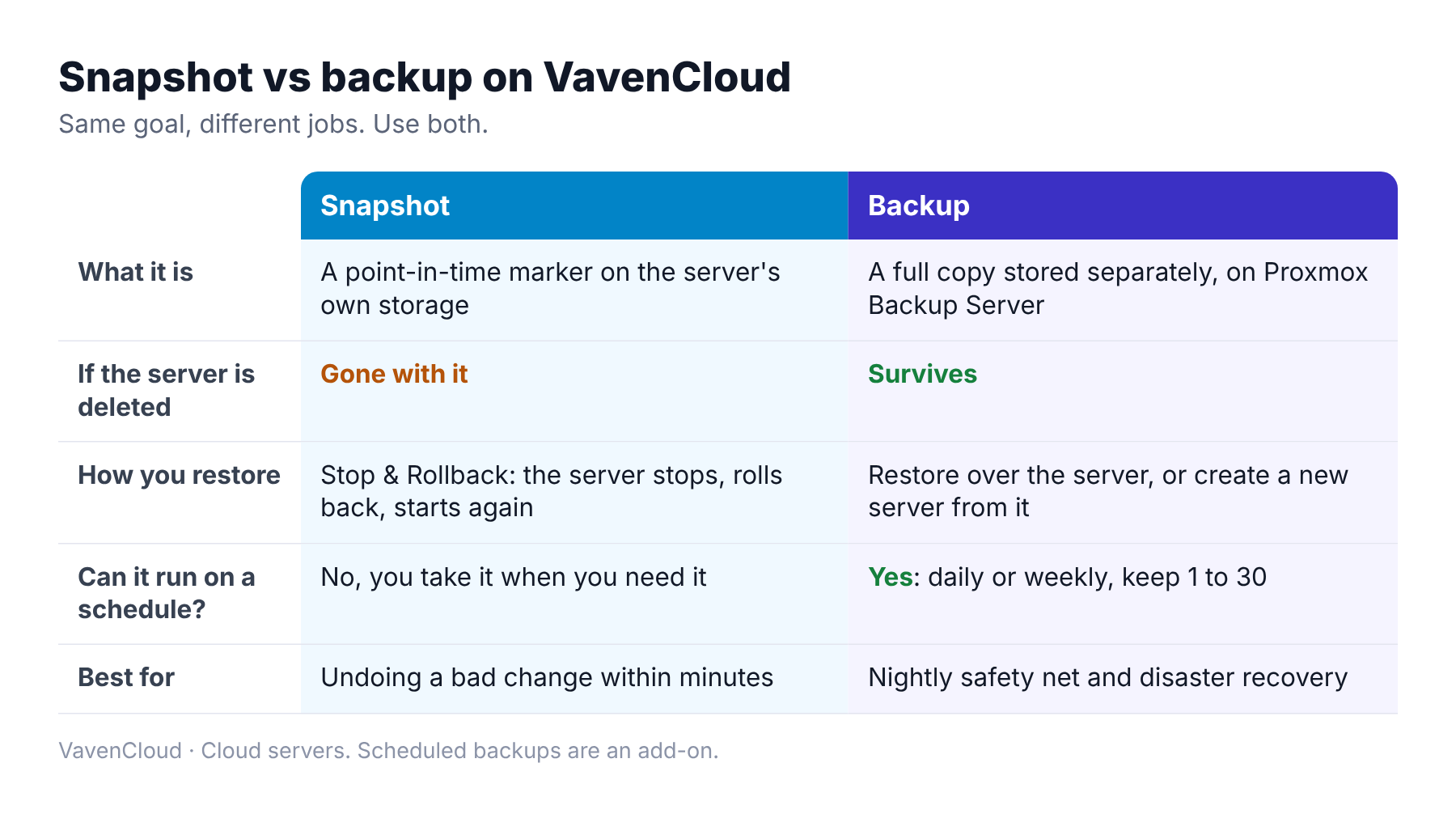
Snapshot vs backup: which one should you use?
You usually need both. They answer different questions.
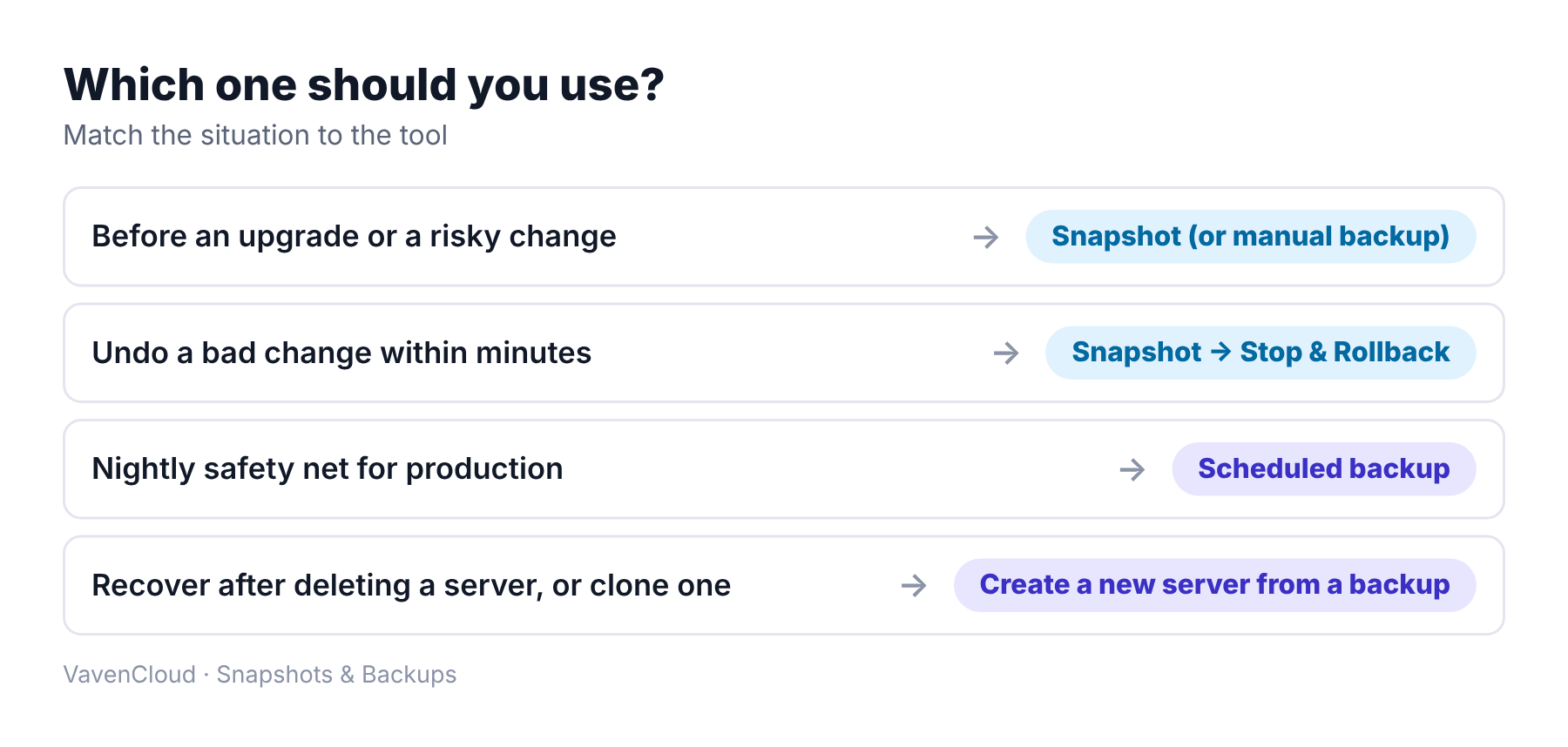
- Before an upgrade or migration: take a snapshot, or a manual backup if the change is large. If it goes wrong, roll back.
- Every night, in production: schedule backups so you always have recent copies stored away from the server.
- After deleting a server by mistake: a snapshot is gone, but you can create a new server from a backup.
- To clone a server: create a new server from a backup.
How it works on VavenCloud
Snapshots
- Open the server's detail page and take a snapshot.
- To go back, choose Stop & Rollback. The server is stopped, rolled back to the snapshot, and started again.
- Delete snapshots you no longer need.
Backups
- Go to Snapshots & Backups and choose New Backup.
- Pick the server or database.
- Take a manual backup with a name and notes, or add a schedule: daily or weekly, at the time you choose, keeping the newest 1 to 30 copies.
- To restore, put a backup back over the same server, or create a new server from it.
Scheduled backups are an add-on. Manual backups and schedules work for databases too, in the Database section.
Limits to know
- Snapshots are not backups. They live on the server's storage and disappear if the server is deleted.
- Restoring over a server replaces its disks. Anything written after the backup is lost.
- A new server from a backup uses a server credit, because it creates a new server.
- Databases are restored through support. You can take and schedule database backups yourself, but to restore one, open a support ticket.
Five habits that make backups useful
- Schedule daily backups for anything that matters, and keep enough copies to go back several days.
- Take a snapshot before every risky change, then delete it once the change is proven.
- Name manual backups clearly, for example "before-v2-upgrade".
- Test a restore before you need one.
- Keep copies of your app code and config outside the server too.
Real-life problems and how to avoid them
Here are four problems that snapshots and backups are meant for. These are common situations, not customer stories.
"The update broke the app."
What goes wrong: A framework or package upgrade changed behaviour in production.
The fix: Take a snapshot first. If it goes wrong, use Stop & Rollback and try again on a copy.
"Someone deleted the wrong server."
What goes wrong: Snapshots live on the server's storage, so they went with it.
The fix: Keep scheduled backups. You can create a new server from a backup.
"We restored, and lost a day of data."
What goes wrong: Restoring over a server replaces its disks with the backup's contents, so anything newer is gone.
The fix: Take a manual backup of the current state before you restore over a server, or restore into a new server instead.
"We never noticed the backups had stopped."
What goes wrong: Nobody checked the backup list, and nobody had tested a restore.
The fix: Look at the list each week and test a restore on a spare server.
Frequently asked questions
Is a snapshot the same as a backup?
No. A snapshot is a restore point stored on the server's own storage. A backup is a separate copy. Only the backup survives if the server is deleted.
How often should I back up a server?
Daily is a good starting point for most production servers. Choose how many copies to keep based on how far back you may need to go.
How many backups can I keep?
You can keep between 1 and 30. The newest copies are kept and older scheduled copies are removed automatically. On a weekly schedule, the number means weeks.
Do scheduled backups delete my manual backups?
No. Only scheduled backups are pruned automatically. Manual backups stay until you delete them.
Can I back up a database?
Yes. You can take manual backups and set schedules for databases. To restore one, open a support ticket.
Not sure how to protect your setup? Open a support ticket and tell us what you are running. Our team will help you choose.